
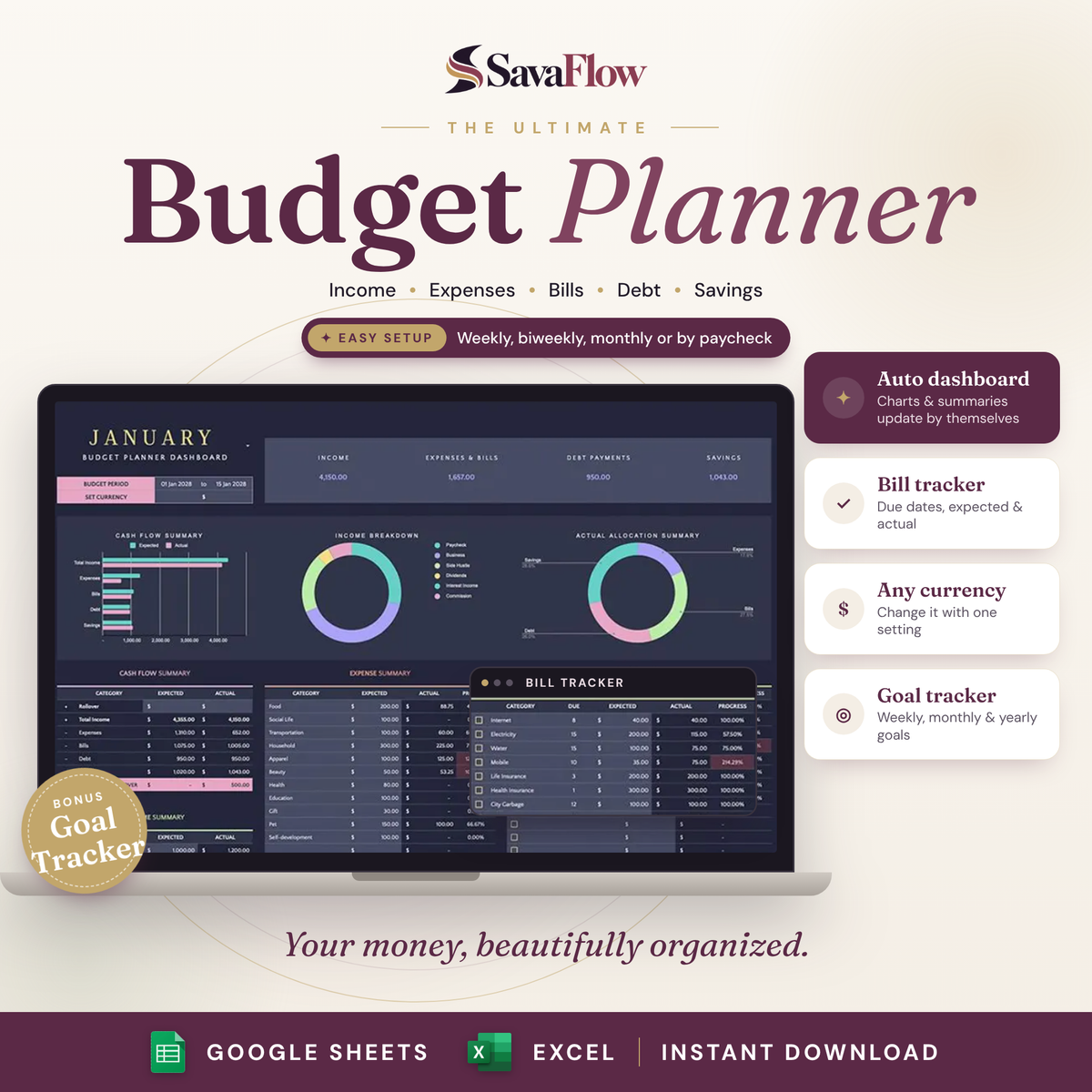
The Ultimate Budget Planner
- Automatic Dashboard
- One Transactions List
- Bill Tracker & Due Dates
- Debt & Savings Trackers
- Expected vs Actual
- Any Currency, Any Period

Payday comes. Then it’s gone.
- 1Money comes in, and you’re not sure where it went
- 2A bill sneaks up on you every single month
- 3Budget apps with monthly fees and too many buttons
- 4A spreadsheet you started, then never opened again
SavaFlow gives your money a clear place. Add your transactions, and the dashboard does the math.
Add it once. See it everywhere.
Log a transaction and your totals, progress bars and charts update by themselves.
- 01Plan your budgetSet your period, currency, income and expected spending.
- 02Add your transactionsType them in or paste rows from your bank statement.
- 03Review & adjustSee expected vs actual, spot overspending and plan the next period.

Everything your money needs
A full budget system for Google Sheets and Excel, plus a bonus Goal Tracker.

Your whole budget
Income, expenses & bills, debt and savings, with charts at a glance.
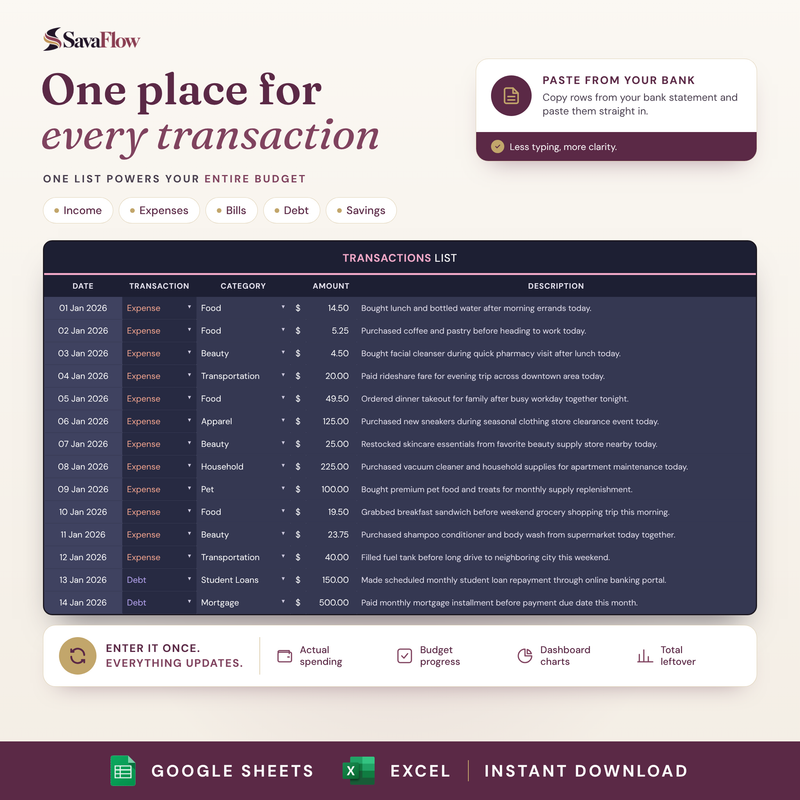
One list for everything
Every income, expense, bill and debt payment in one place.

Bills, debt & savings
Due dates, payoff plans and savings funds, side by side.

Top 20 categories
See where most of your money goes, ranked for you.
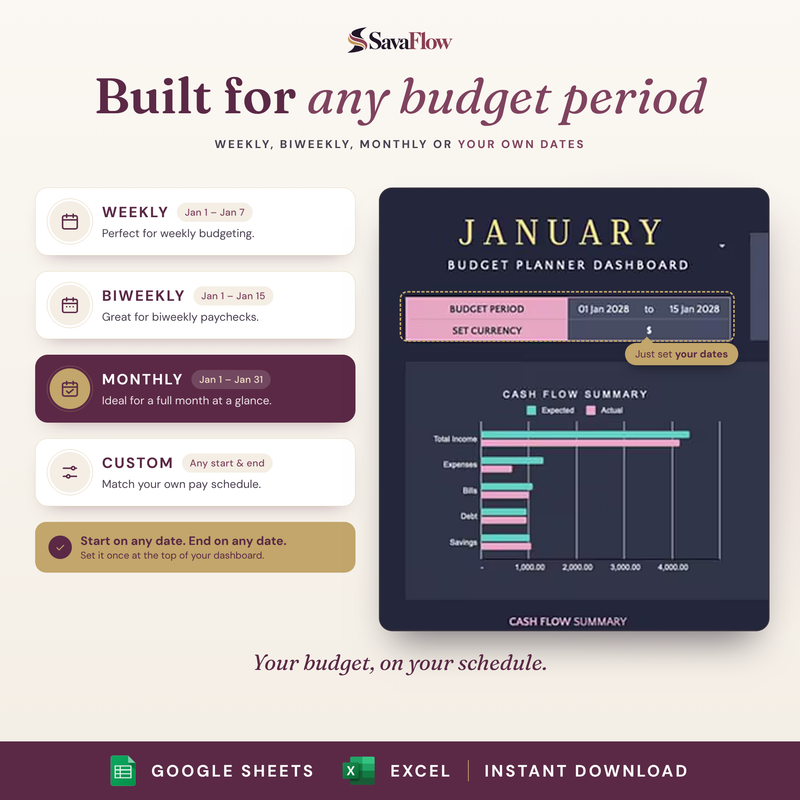
Any budget period
Weekly, biweekly, monthly or your own dates.

Goal Tracker
Break big money goals into steps and track your progress.
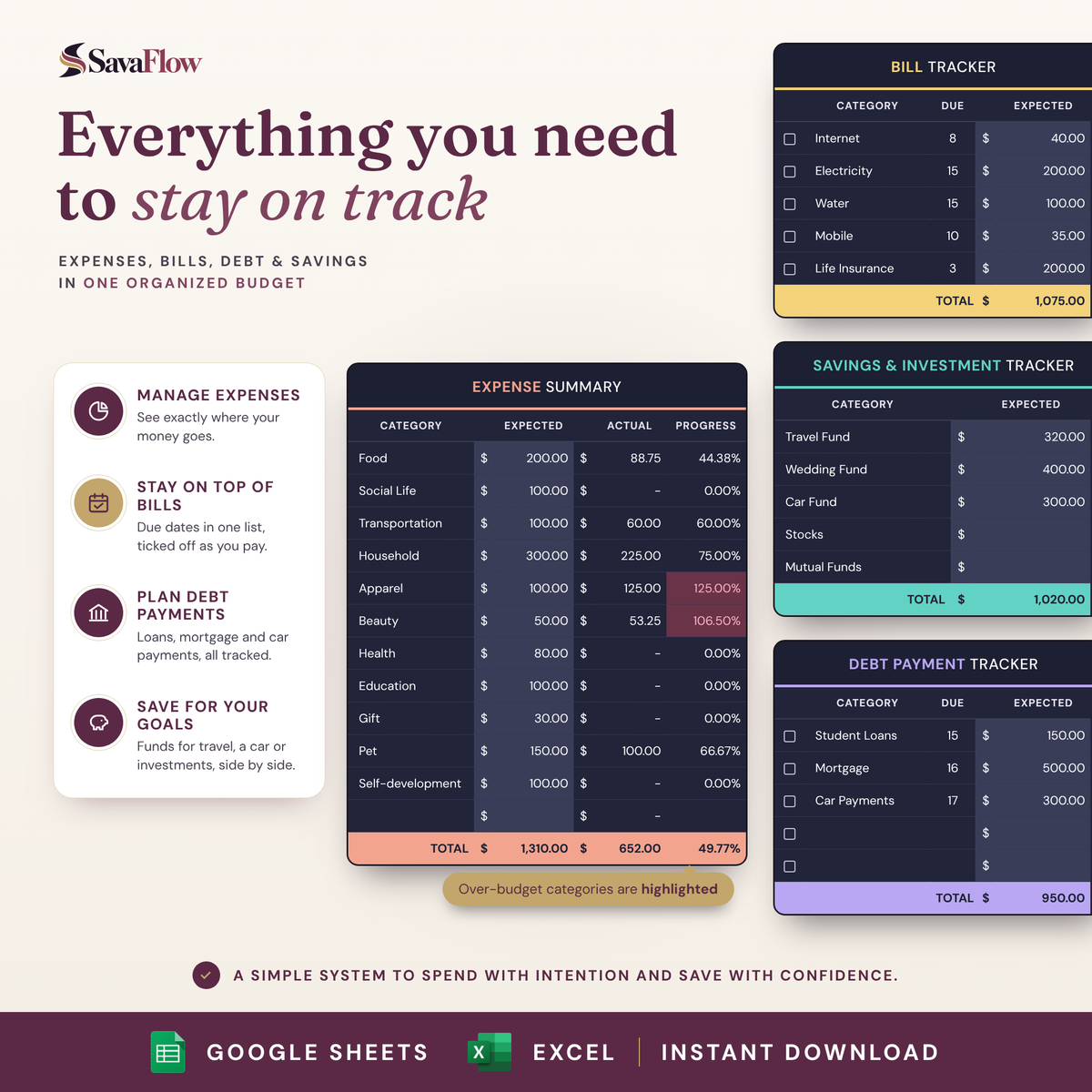
Spot overspending before it adds up.
Set what you expect to spend in each category. As you add transactions, progress fills in, and categories that go over budget are highlighted.
- ✓Progress per category, updated as you go
- ✓Over-budget categories stand out right away
- ✓Rollover carries leftover money into the next period

Light or Dark? You get both.
Same features, same insights. Pick your mood, or switch any time.
- Both themes included in every order
- Same dashboard, trackers and charts in each
- Google Sheets and Excel
A budget that does the math
| SavaFlow | Budget apps | Notebook | Blank spreadsheet | |
|---|---|---|---|---|
| Automatic totals, charts & summaries | ✓ | ✓ | ✕ | DIY |
| Bills, debt & savings in one place | ✓ | Varies | ✓ | DIY |
| Weekly, biweekly, monthly or custom period | ✓ | Varies | ✓ | DIY |
| Works with any currency | ✓ | Varies | ✓ | ✓ |
| Your data stays in your own file | ✓ | ✕ | ✓ | ✓ |
| No subscription | ✓ | ✕ | ✓ | ✓ |
| Ready in minutes | ✓ | ✓ | ✓ | ✕ |
Good questions
Do I need Excel?
No. The Google Sheets version is free with any Google account. The Excel version works with Excel 2016 and newer.
How do I get my budget planner?
Right after checkout you get a PDF with your Google Sheets and Excel links. Nothing is shipped.
Can I use my own currency?
Yes. Change the currency once at the top of your dashboard.
Can I budget weekly or by paycheck?
Yes. Set any start and end date for your budget period: weekly, biweekly, monthly or by paycheck.
Can I use it every period?
Yes. Duplicate the Budget tab for each new period, and use Rollover to carry over money left from the last one.
Can I import my bank transactions?
You can copy rows from your bank statement and paste them into the Transactions list. Depending on your bank’s format, you may need to match the columns first.
Do I need spreadsheet skills?
No. Add your income and transactions, and every total, table and chart updates by itself. A quick start guide, sample spreadsheet, in-sheet instructions and a video walkthrough are included.
Do I get both Light and Dark?
Yes. Both themes are included with the same features.
Will the Excel version look exactly like the photos?
It has the same main features. Some fonts, colors, checkboxes and charts can look slightly different in Excel. Google Sheets is the closest match to the photos.
Is this financial advice?
No. It’s a planning tool to help you organize your own money.
Is this a subscription?
No. You pay once and the files are yours to keep.
Know where your money goes, starting today.
One simple budget for your income, expenses, bills, debt and savings, that updates itself every time you add a transaction.
- Budget Planner for Google Sheets and Excel
- Light and Dark themes
- Bonus Goal Tracker
- Sample sheet, quick start guide and video walkthrough
